
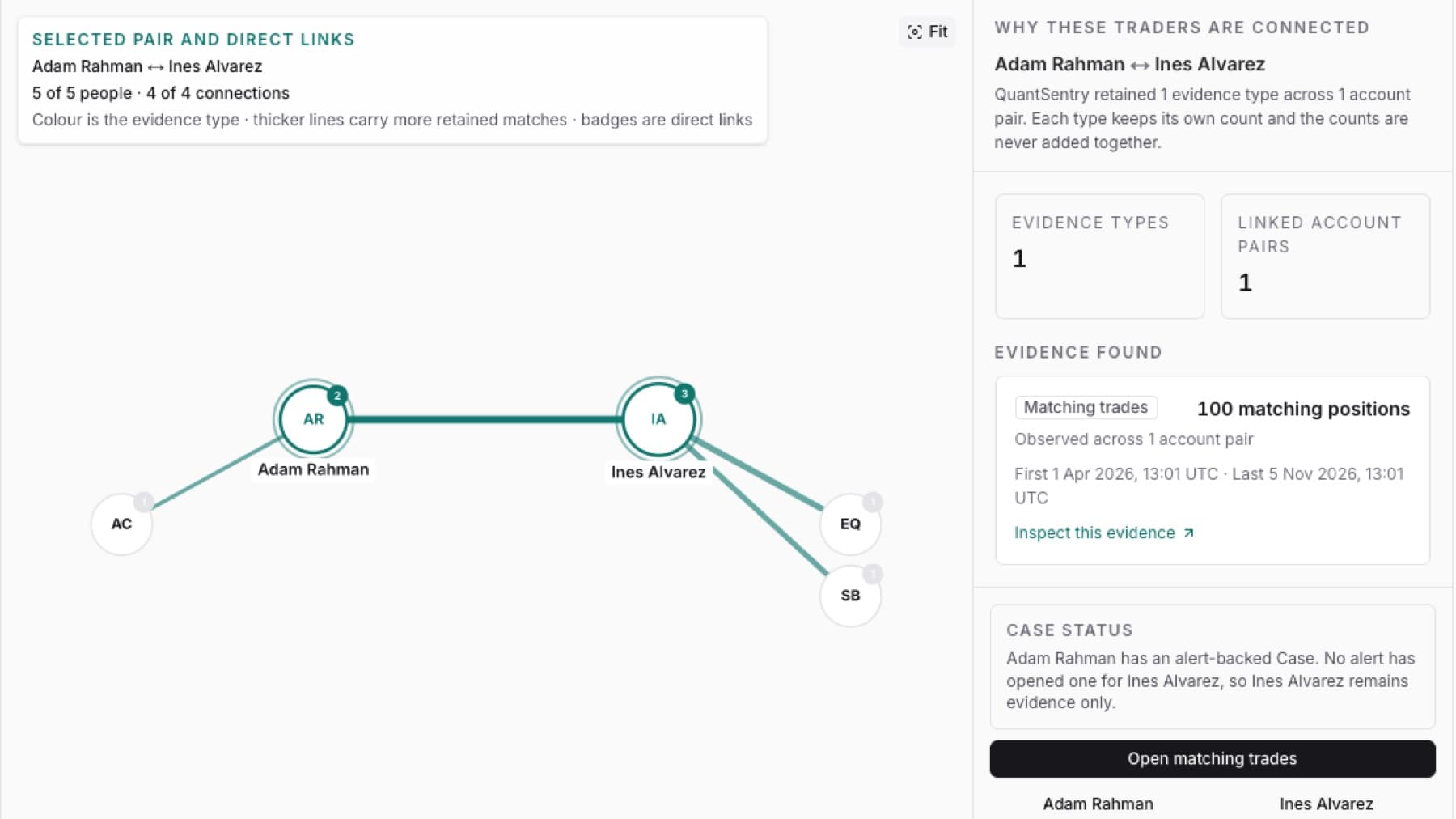
Find out why QuantSentry linked two traders, and open the evidence behind the link.
- Click Relationships in the side menu.
- Click Table.
- Type one trader's name in Find a trader or evidence type….
- Click Inspect on the row for the pair.
- Read Evidence found in the Why these traders are connected panel.
Tip: Each evidence type keeps its own count, with the first and last time it was seen. The counts are never added together.
- Click Inspect this evidence on the evidence type you want to check.
Result: The evidence behind that connection opens, for example the matched trades or the shared sign-ins.
Tip: To see only trading or only sign-in evidence, choose Trading or Login under Evidence method before step 3.