
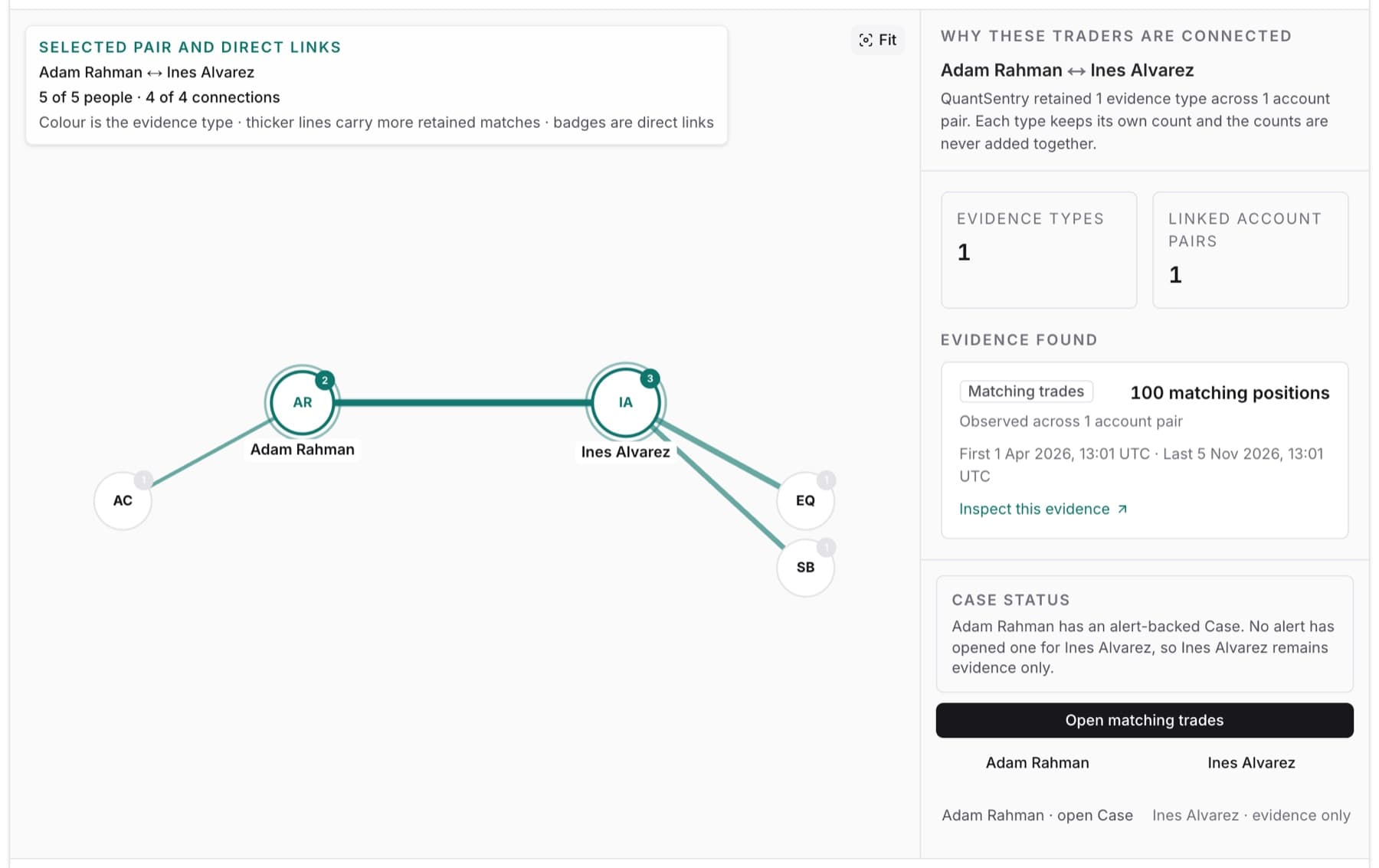
Relationships shows which traders at your firm are connected, and why. Each connection keeps its trading or sign-in evidence.
Open it from the side menu: Relationships. Or use the Trader Connections view in Traders.
On this page
- Network: a graph of connected traders.
- Table: the same relationships, one per row.
- Find a trader or evidence type…: narrows by trader name or evidence type.
- Evidence method: All evidence, Trading or Login.
- Identity links: people who share a payment account, phone, address or IP address.
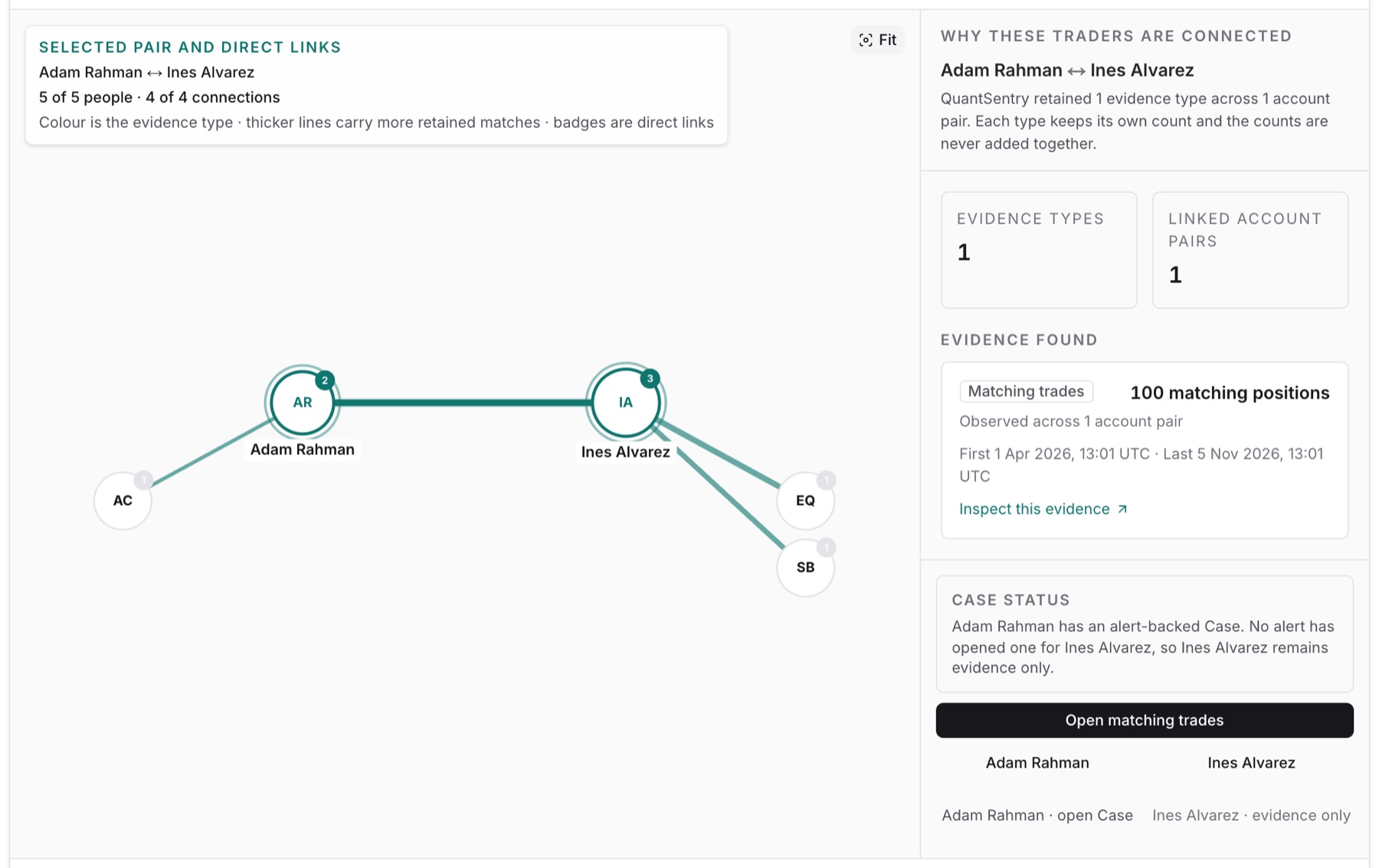
Select a relationship to open Why these traders are connected. It shows each evidence type with its own count, and the Case status of each trader. Counts are never added together.
A relationship is evidence, not a verdict. Without an alert-backed Case, it stays as retained evidence.
Guides
- See why two traders are connected
- Investigate a connected group of traders
- Find a trader by email address
Related
- A trader name opens their profile in Traders.
- open Case opens Cases for that trader.
- Signals from other firms are on QuantSentry Network.
- No detector set up? Open connections goes to Settings.