
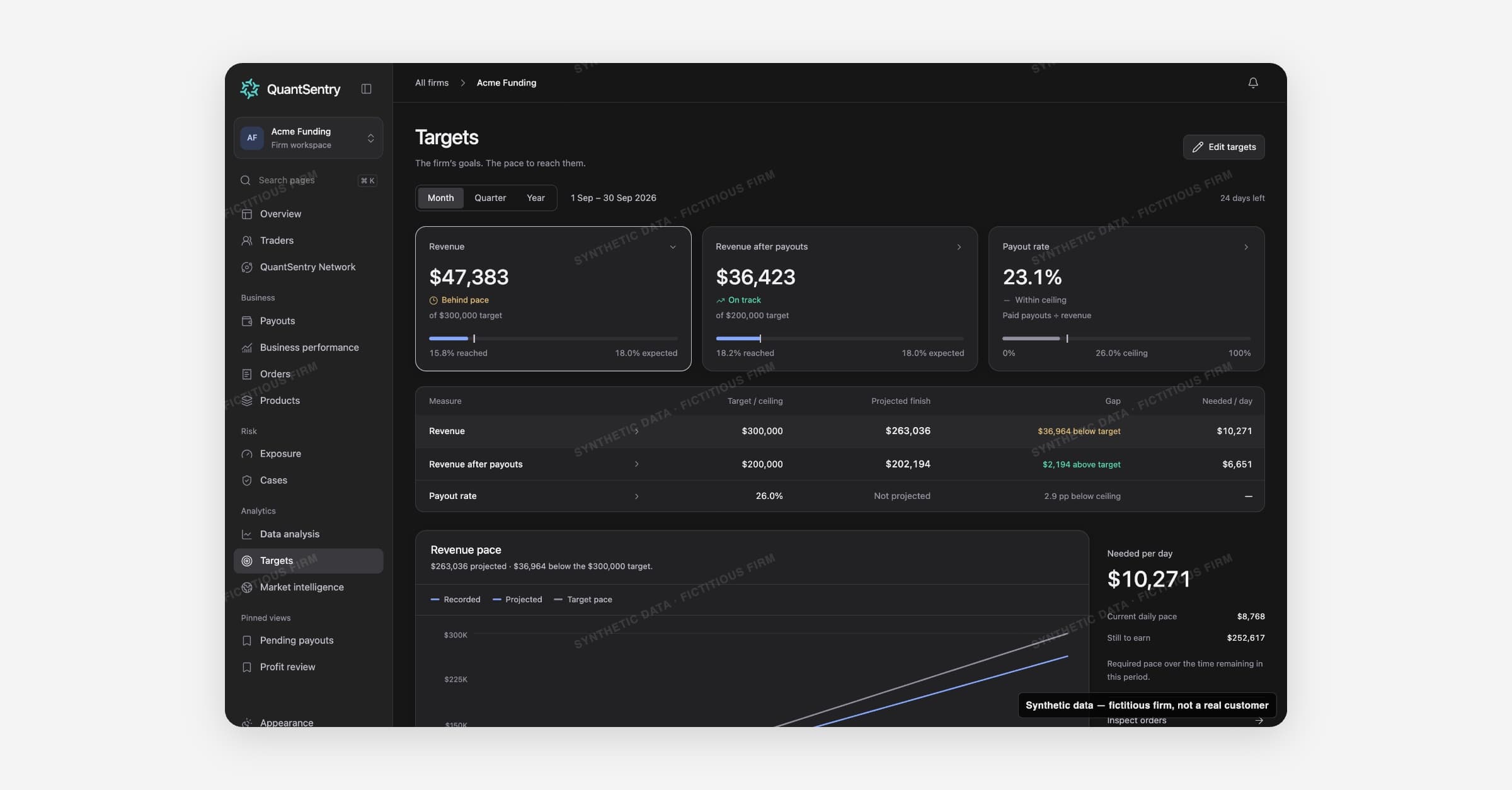
Targets shows your firm's goals and its progress for the month, quarter or year. Open it from Targets in the ANALYTICS section of the sidebar.
Only the workspace Owner can set or edit targets. QuantSentry never suggests a target.
On this page
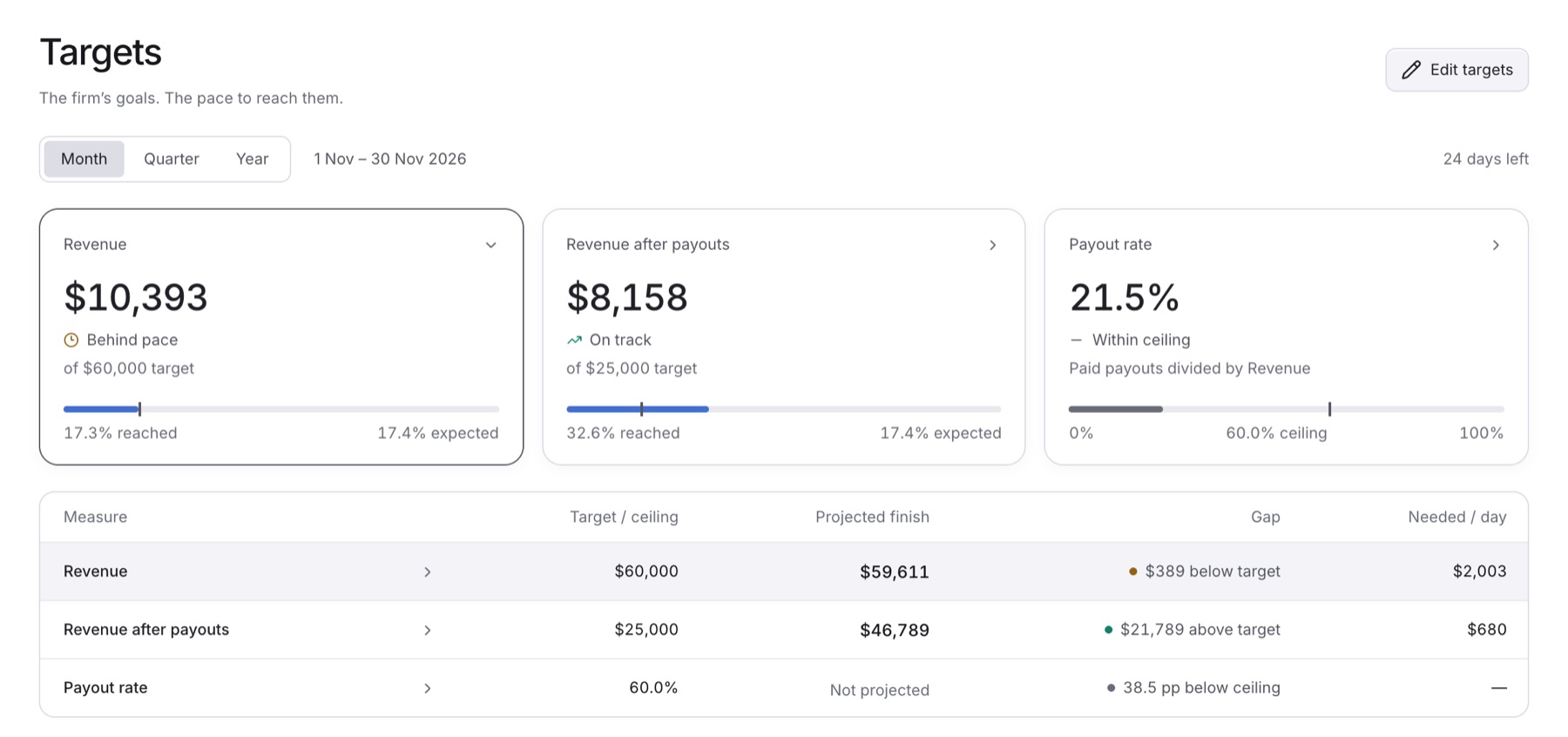
- Month, Quarter or Year: the period switch, with the days left.
- Revenue, Revenue after payouts and Payout rate: progress cards with the value so far and a status.
- Forecast table: Measure, Target / ceiling, Projected finish, Gap and Needed / day.
- Detail view: select a card to see its chart.
Goals and ceilings
- Revenue and Revenue after payouts are goals: amounts to reach.
- Payout rate is a ceiling to stay under. It is measured, never projected.
- A monthly target applies to every month. Quarterly and yearly targets work the same way.
Statuses
| Status | Meaning |
|---|---|
| Not set | No target exists. |
| Unavailable | The value could not be read. |
| Reached | The value meets or exceeds the goal. |
| On track | The projected finish meets the goal. |
| Behind pace | The projected finish falls short. |
| No projection | Too little of the period has passed. |
| Within ceiling | Payout rate is at or under the ceiling. |
| Above ceiling | Payout rate is over the ceiling. |
Projections
- A projection extends the average pace so far (in UTC) to the period end.
- It appears once 5% of the period has passed. It ignores seasonality.
- The payout rate uses paid payouts only.
Guides
Related
- Business Performance: the same revenue and payout-rate figures.
- Orders, Products and Payouts: what drives revenue and the payout rate.
- Data Analysis: the same measures over a longer history.