
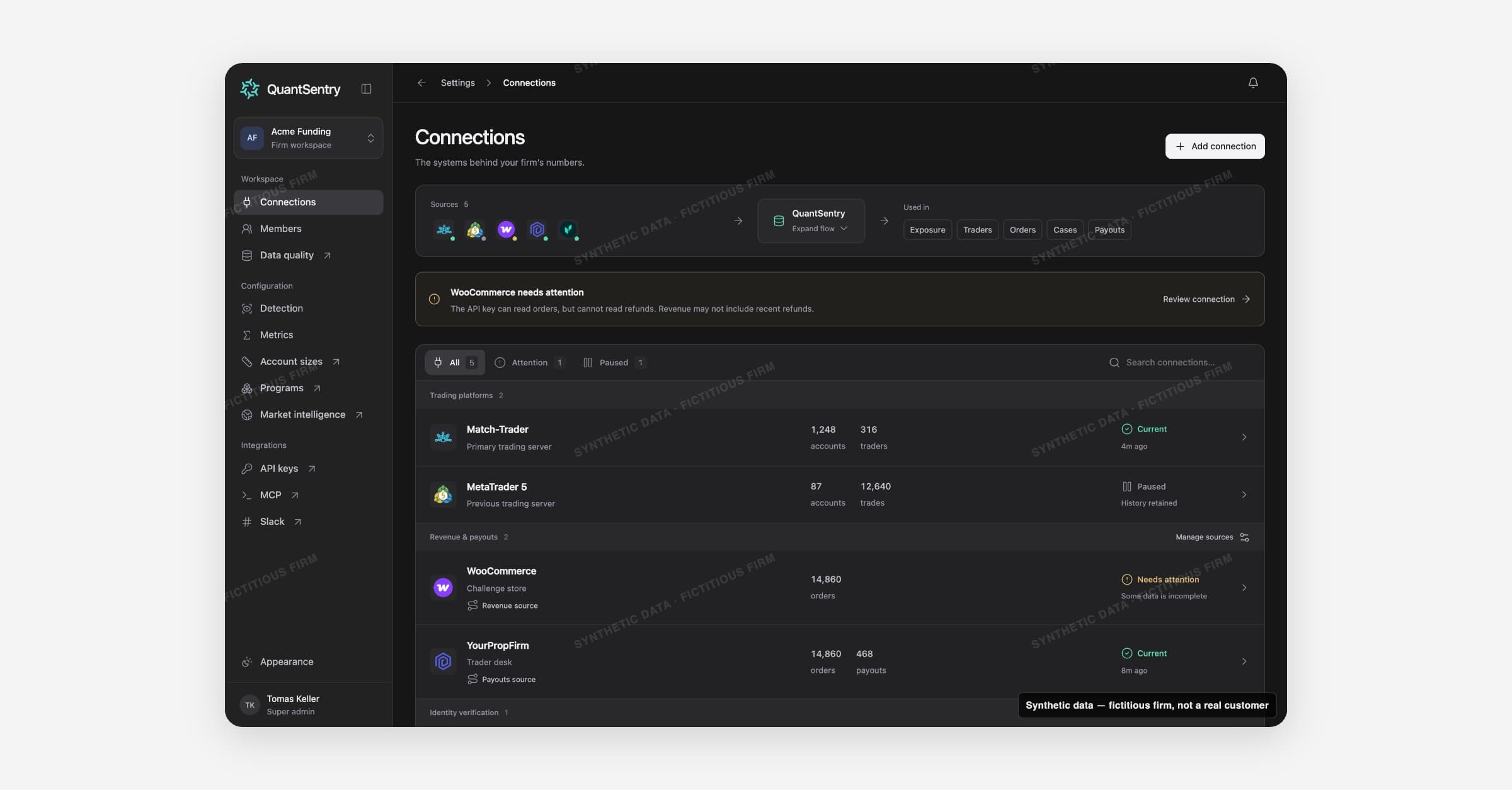
Connections lists every external system that feeds your firm's data into QuantSentry. Open it from Settings > Connections.
On this page
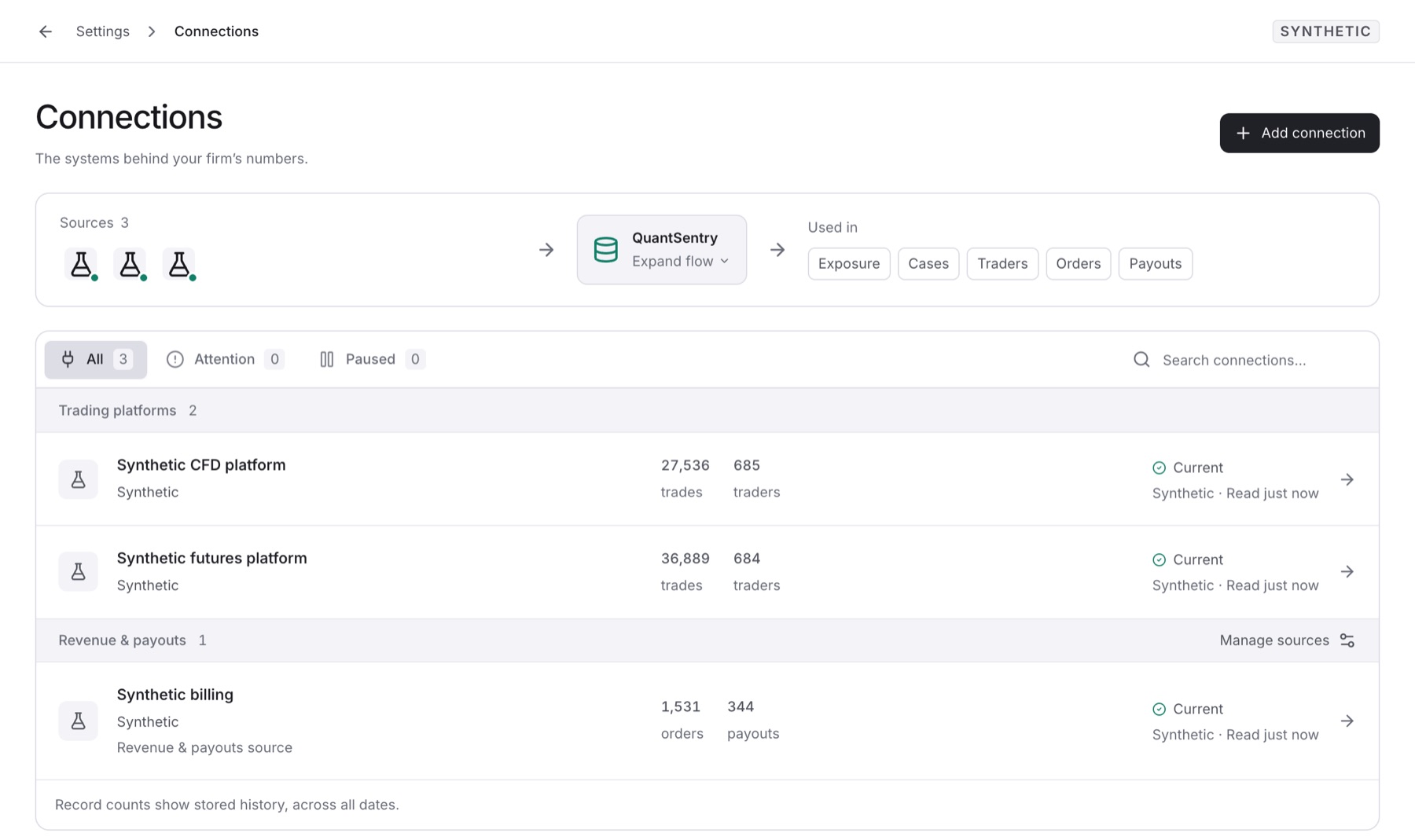
Add connection: opens the catalog of providers.
Data-flow panel: traces each source to its data and the pages that use it.
Review connection: shown when a connection needs attention.
Connection list: tabs All, Attention and Paused. Select a connection to test, sync, pause or delete it.
Categories
Category | Supplies |
|---|---|
Trading platforms | Accounts, balances, trades, logins |
Revenue & payouts | Orders, payments, refunds, payout requests |
Identity verification | KYC decisions from a verification provider |
Acquisition spend | Daily ad spend |
Market context | Forex Factory news calendar |
Health
Status | Meaning |
|---|---|
Current | Data was read in the last 48 hours. |
Needs attention | A sync failed, or the last read is 48 hours old or more. |
Paused | Collection stopped. Records stay. |
Awaiting first sync | Nothing has been read yet. |
Revenue and payout source
Only one source counts toward revenue, and one toward payouts. This stops double counting.
Accounts, trades and traders from all connections are combined.
Owners and Admins manage connections. Only the Owner picks the source, with Manage sources.
Guides
Related
Data quality: freshness and coverage in more depth.
Business Performance and Targets: use the selected revenue source.
Metrics: reads the same connected records.