
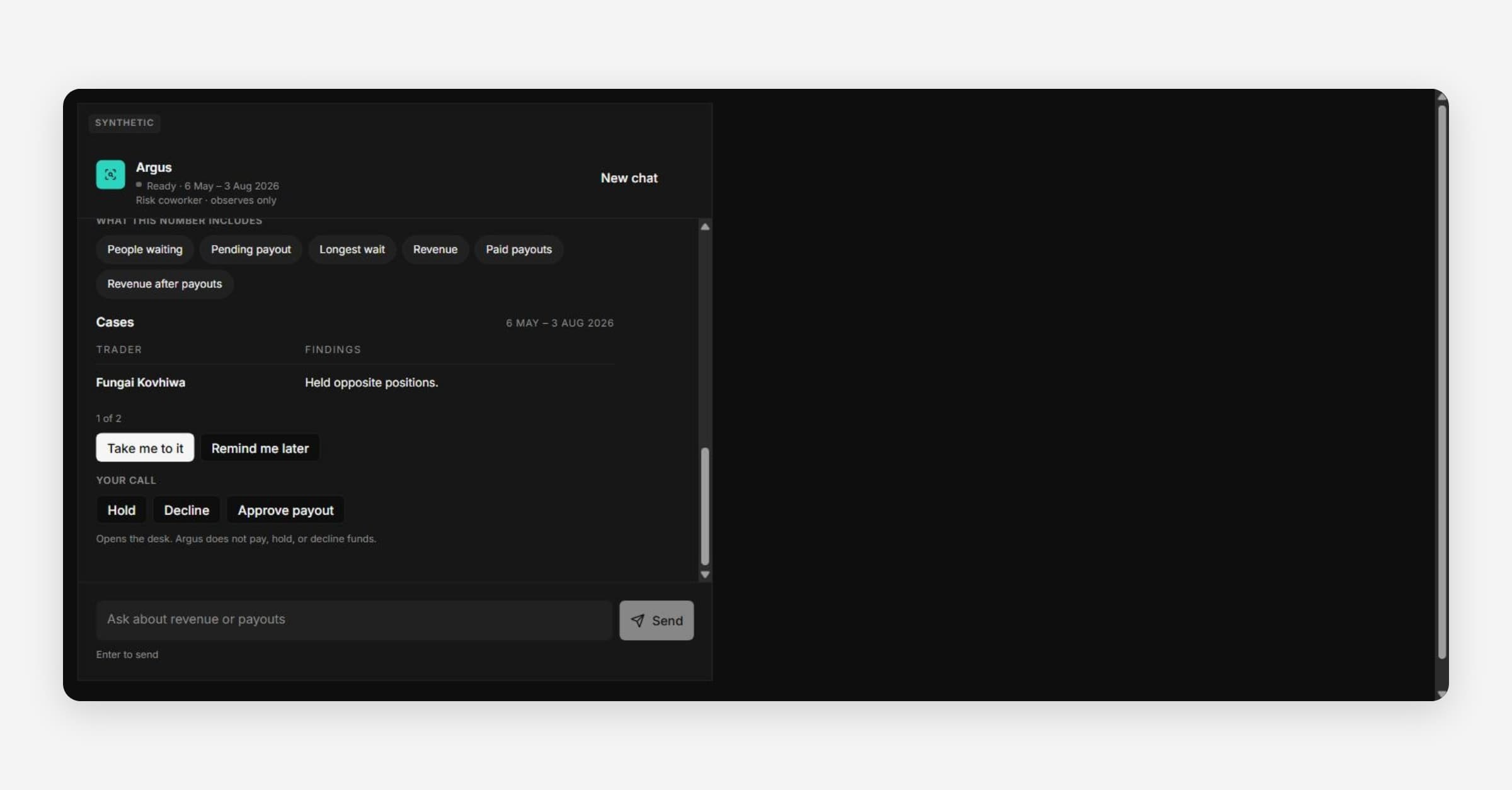
Argus is an AI assistant. It answers plain-language questions about your firm's verified revenue, payouts, Cases and evidence freshness.
Argus only observes. It does not approve or deny payouts, hold or decline funds, or suspend accounts. People make those decisions on Payouts and Cases.
Where to find Argus
- Ask Argus: the round button at the bottom right of every workspace page. It opens a side panel.
- Argus AI: the sidebar page. Saved chats are under Recent conversations.
Who can use it
- Owner, Admin and Analyst can ask questions. Viewer cannot.
- Only an owner or admin can save the specialists and scheduled checks Argus proposes.
How Argus answers
- Checking / Checked: each check Argus runs. It shows which data the answer came from.
- What this number includes: a breakdown under some answers.
- Take me to it: opens the page that holds the data.
- Your call: buttons such as Approve payout, Hold or Decline only open that page.
- Remind me later: Argus keeps watching something for you.
Check a figure on the page that owns it before you act.