
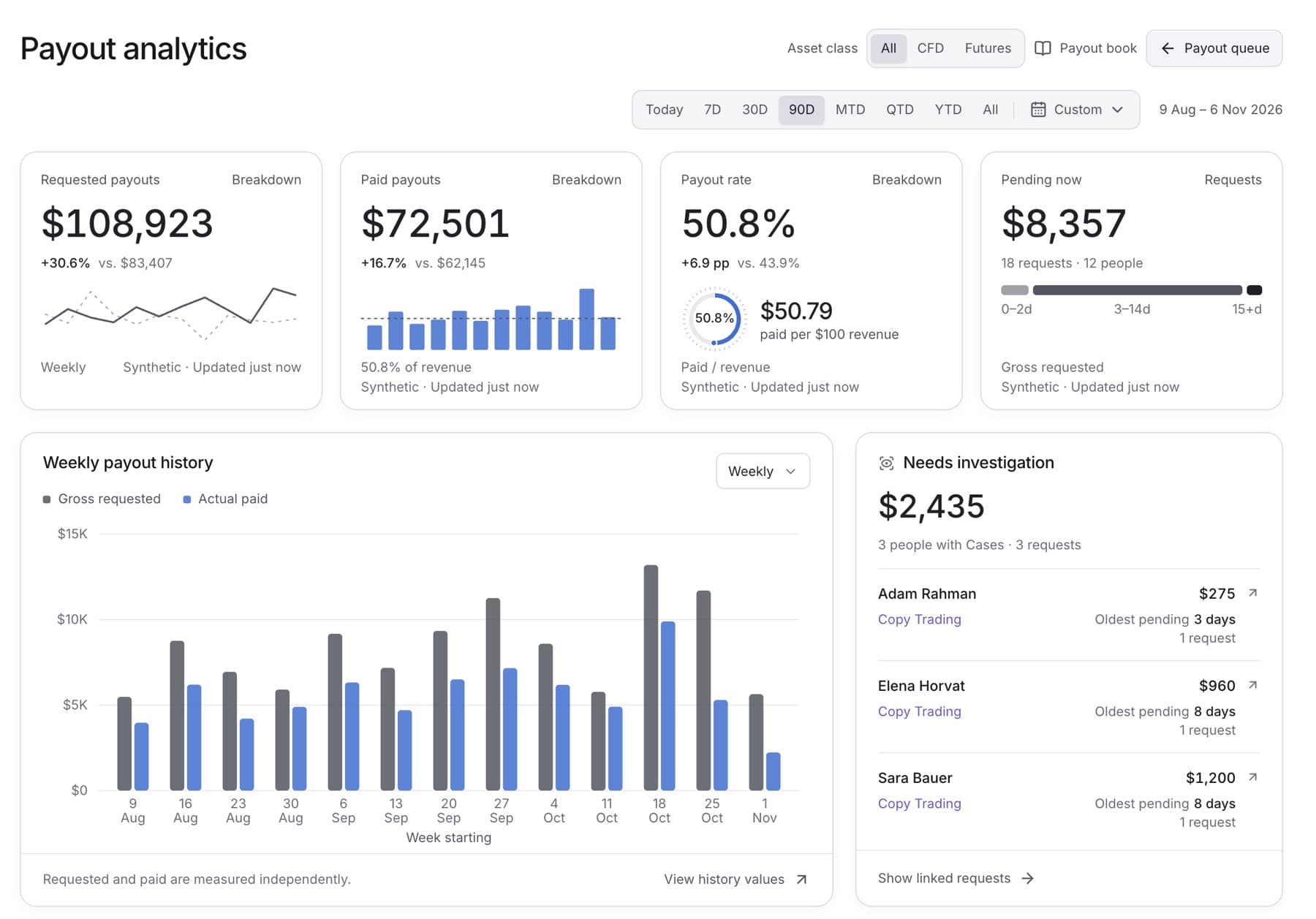
See how much traders requested, how much the firm paid, and the payout rate for a period. Any workspace role can do this.
- Click Payouts in the side menu.
- Click Analytics at the top of the page.
- Click the period button at the top right (it shows the current date range).
- Choose a preset, for example Last 30 days or Previous month. For your own dates, pick a start day and an end day in the calendar, then click Apply.
- Read the three cards: Requested payouts, Paid payouts and Payout rate.
- Optional: in the history chart, open History interval and choose Daily, Weekly or Monthly.
- Optional: click View history values to see the numbers behind the chart as a table.
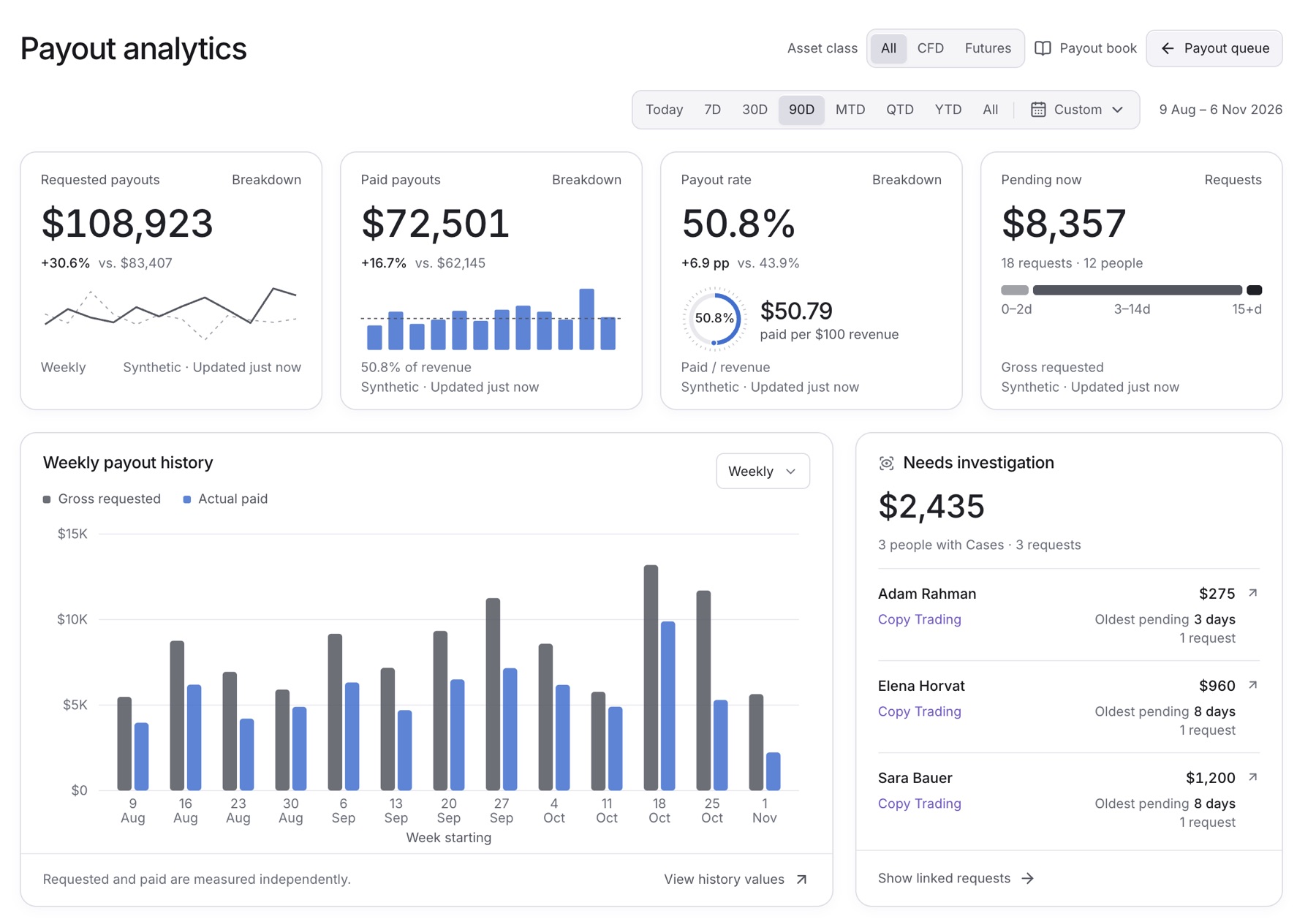
Result: The cards and the chart show the period you chose. Requested payouts is the gross amount traders asked for. Paid payouts is what the firm paid. Payout rate is paid payout value as a share of verified revenue.
Tip: Pending now always shows what is waiting today, whatever period you choose. Click Requests on that card to open the queue.