
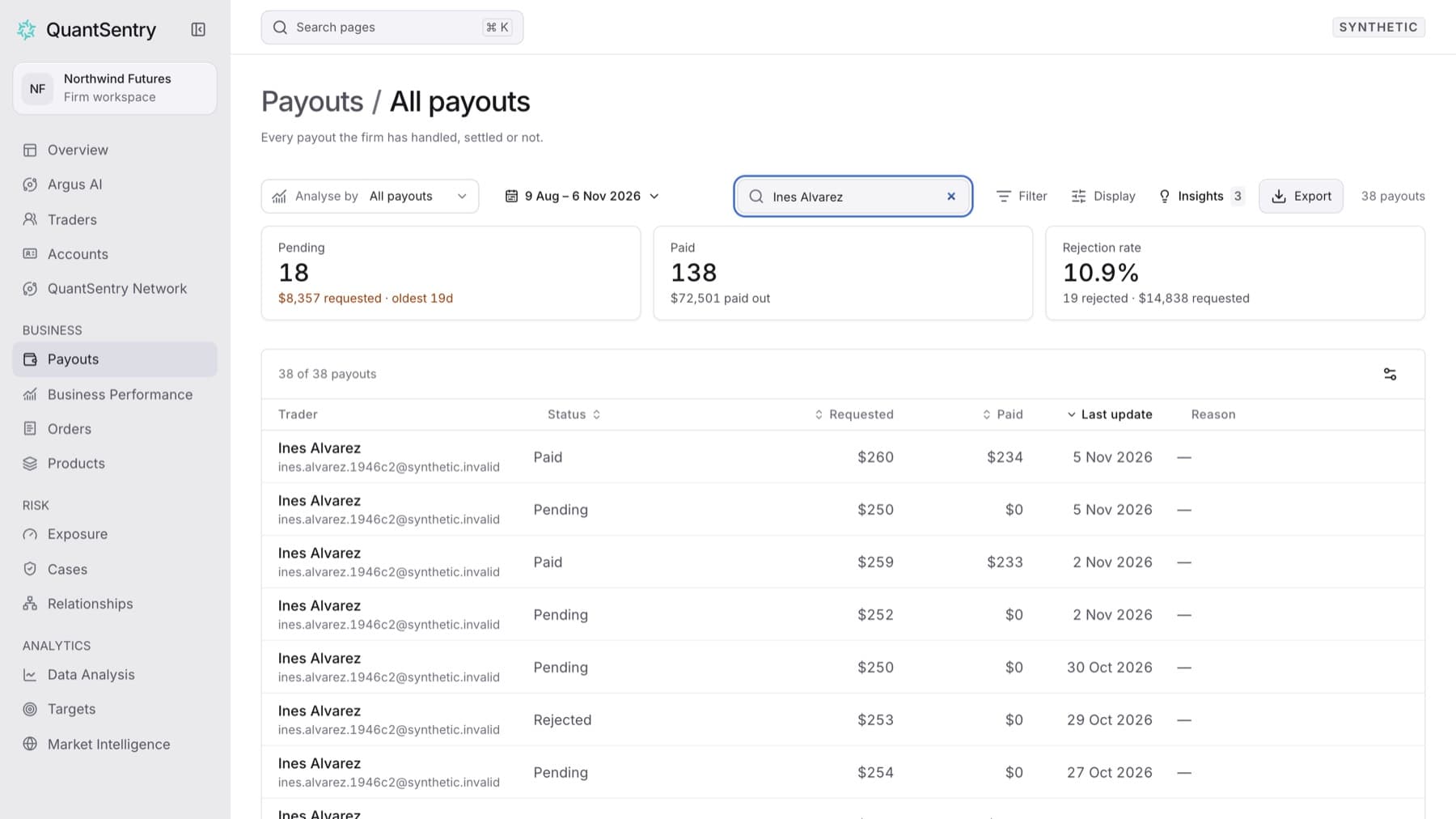
Find a payout that has already left the queue, for example one that was paid or rejected. Any workspace role can do this.
- Click Payouts in the side menu.
- Click Payout book at the top of the page.
- Type the trader's name in Find a trader.
- If the payout is older than the period shown, open the period control in the toolbar and choose a longer preset, for example Year to date or All time.
Tip: The payout book opens on the last 90 days.
- Optional: click Filter, choose Status, and pick the status you want.
- Click the row to open the trader's profile.
Result: The table lists the matching payouts with Trader, Status, Requested, Paid and Last update. Clicking a row opens that trader's profile.
Tip: To see more columns, such as Email, Account or Requested on, click Display and turn them on under Display properties.