
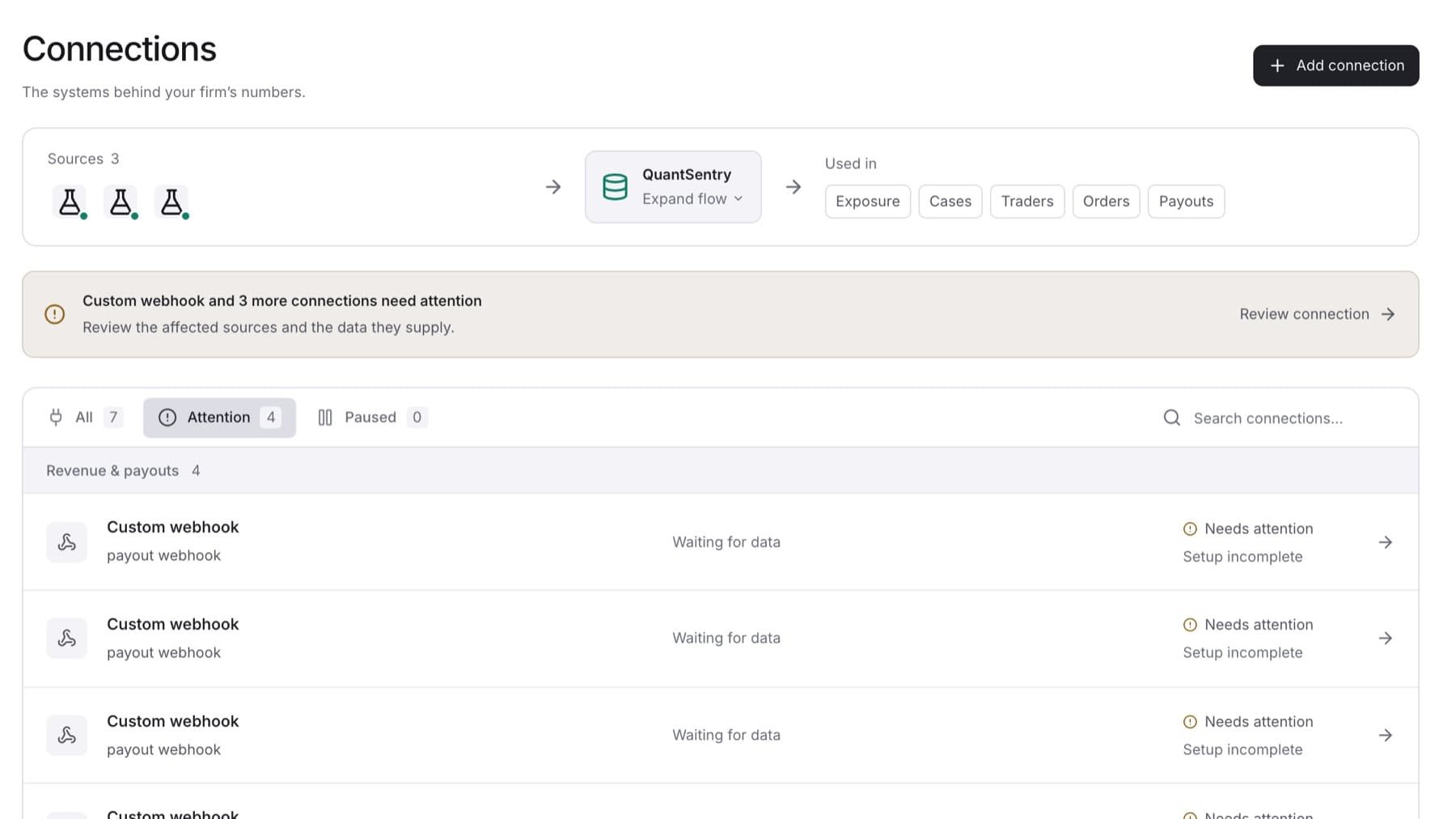
Use this page when a connection is not delivering data. You need the Owner or Admin role to test, sync or enable a connection.
To open the connection: select Settings, select Connections, then select the connection. Or select Review connection in the warning box at the top of the page.
If the connection shows Needs attention
A data set failed to sync, or the last successful read is 48 hours old or older.
- Open the connection.
- In the data set table, read the error under any data set that did not succeed.
- Select Test connection.
- If the test shows Working, select Sync now on the data set that failed.
- If the test shows another result, follow the matching section below.
Result: After a successful sync, the status returns to Current.
If the test shows Could not connect
QuantSentry cannot reach the system. The most common causes are a changed password or key, or a server address that changed.
- Check the server address and credentials with the system's administrator.
- Add the connection again with the new details. See Add a connection.
- Select Test connection on the new connection.
- When the new connection works, delete the old one. See Pause, resume or delete a connection.
Tip: A trading or revenue connection cannot be edited after it is saved, so a new connection is the way to change its details. For a KYC provider, select Rotate credentials instead. For a custom webhook, select Rotate.
If it still fails, contact QuantSentry support and quote the identifier shown under the connection's name.
If the test shows Reachable, but missing permissions
The login works but cannot read everything QuantSentry needs.
- Ask the system's administrator to grant the read permissions for the account you connected.
- Select Test connection again.
If a data set shows No records held
The connection works, but this data set has not delivered any records.
- Check that the source system actually holds records of this type.
- Select Sync now on that data set.
If it stays empty, contact QuantSentry support.
If the connection shows Paused
Collection was stopped on purpose. Select Enable on the connection's page. See Pause, resume or delete a connection.
If the connection shows Awaiting first sync
Nothing has been read yet. Wait for the first sync, or select Sync now on a data set. If it stays like this, select Test connection and follow the matching section above.
If the list says Choose a financial source
Two connections hold orders or payouts and no source is selected for totals. The Owner must choose one. See Choose the source for revenue and payouts.