
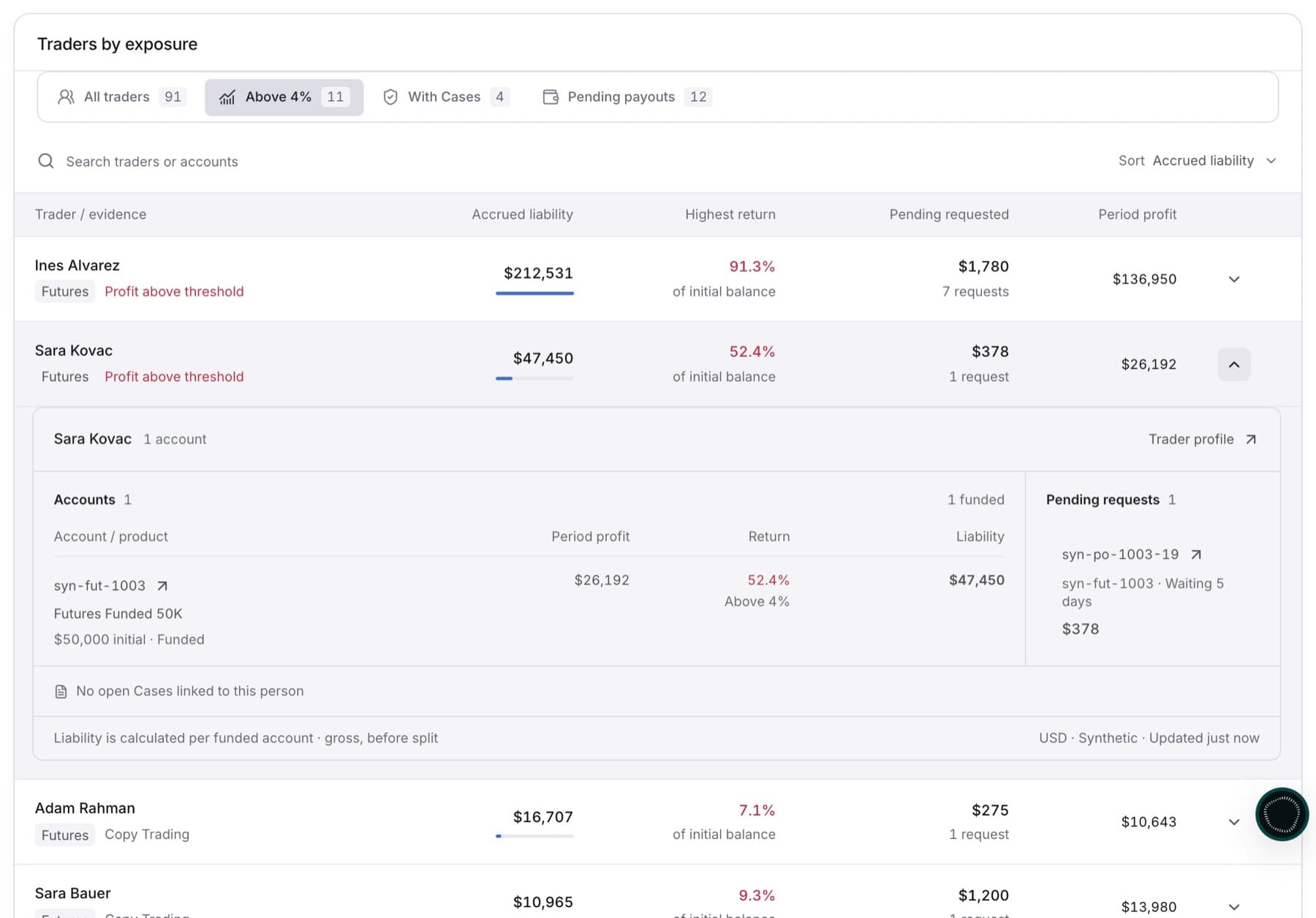
Use this to find funded accounts whose period return is above your review threshold, and check each one. Any member of the workspace can do this.
- In the sidebar, under RISK, click Exposure.
- Choose the period you want to review in the period picker at the top of the page.
- In Profit versus liability, drag the Review at slider to the return you want to review from (1.0% to 10.0%).
- In Traders by exposure, click the Above tab (for example Above 4%).
- Click Sort, then choose Highest return.
- Click a trader row to expand it.
- Under Accounts, click an account to open its figures.
Tip: Accounts above the threshold are marked Above with the threshold, for example Above 4%.
- Check Accrued liability, Realised profit, Profit / initial and Initial balance.
- Click Trader profile to see the trader's full record, or Open account to see the account.
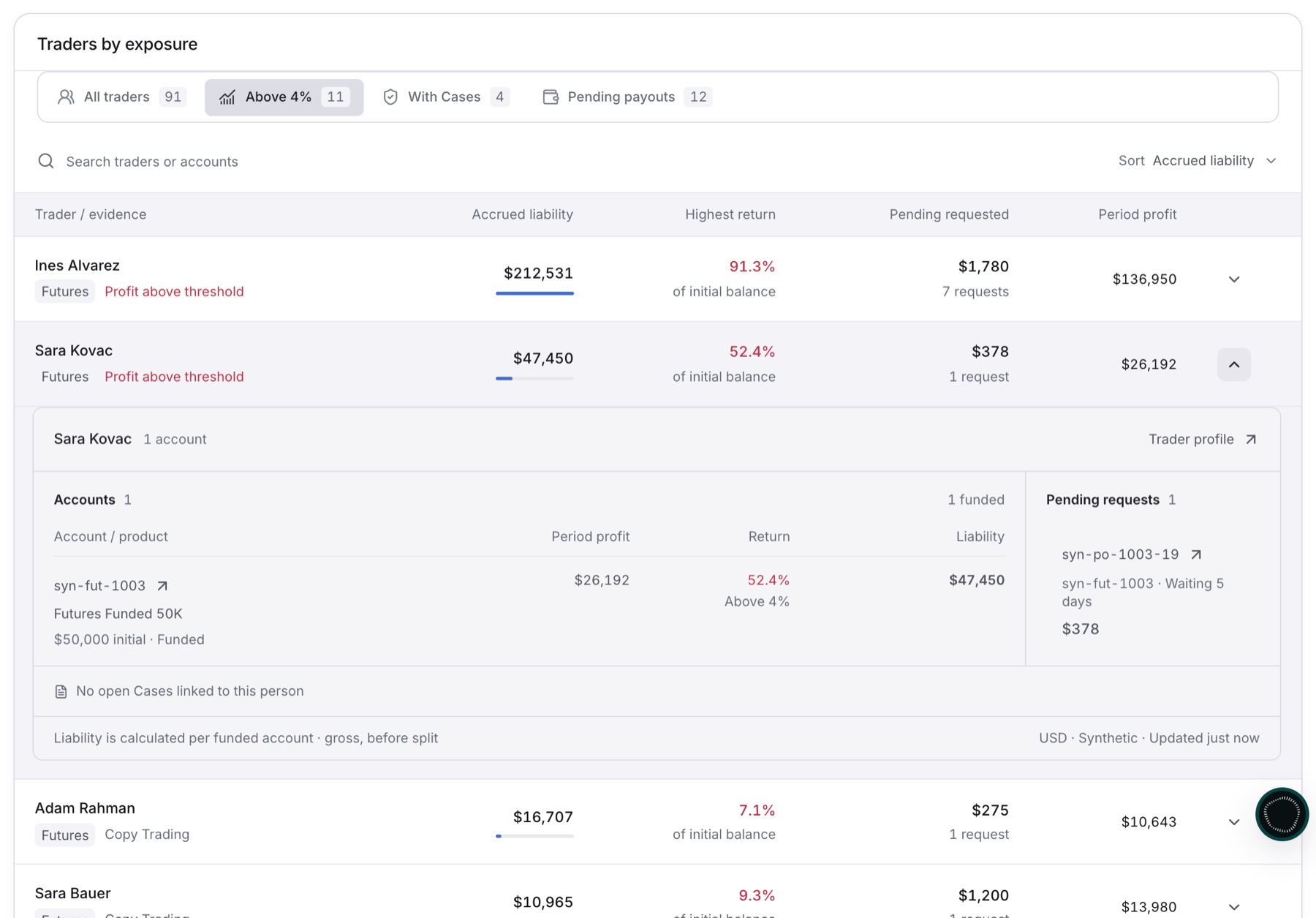
Result: The table lists only traders with at least one account above your threshold, and the account panel shows how its return and liability were calculated.
If a trader you review needs investigation, check Cases & evidence in the expanded row. If it says No open Cases linked to this person, no Case exists yet. Cases are created by your detection rules, not from Exposure.