
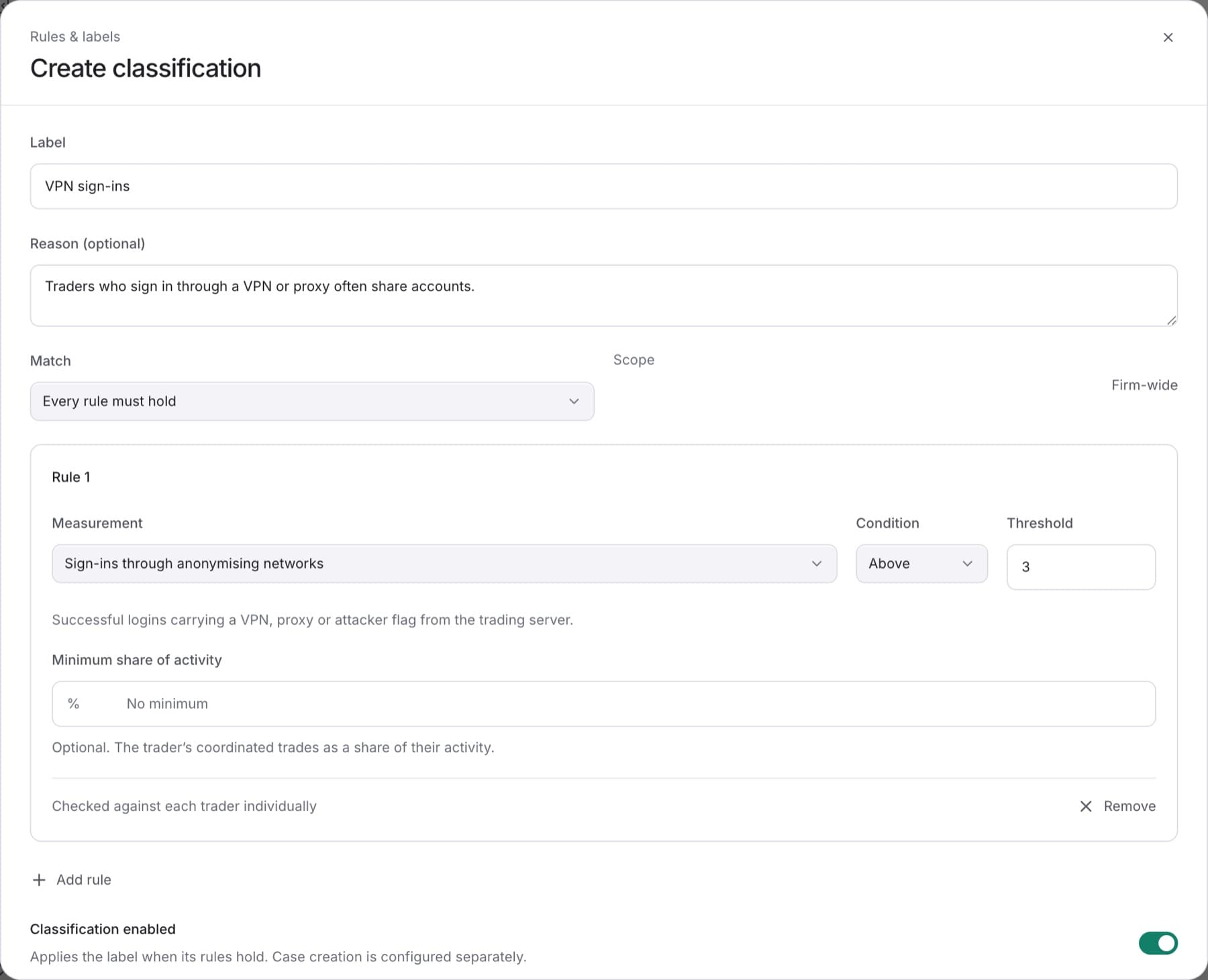
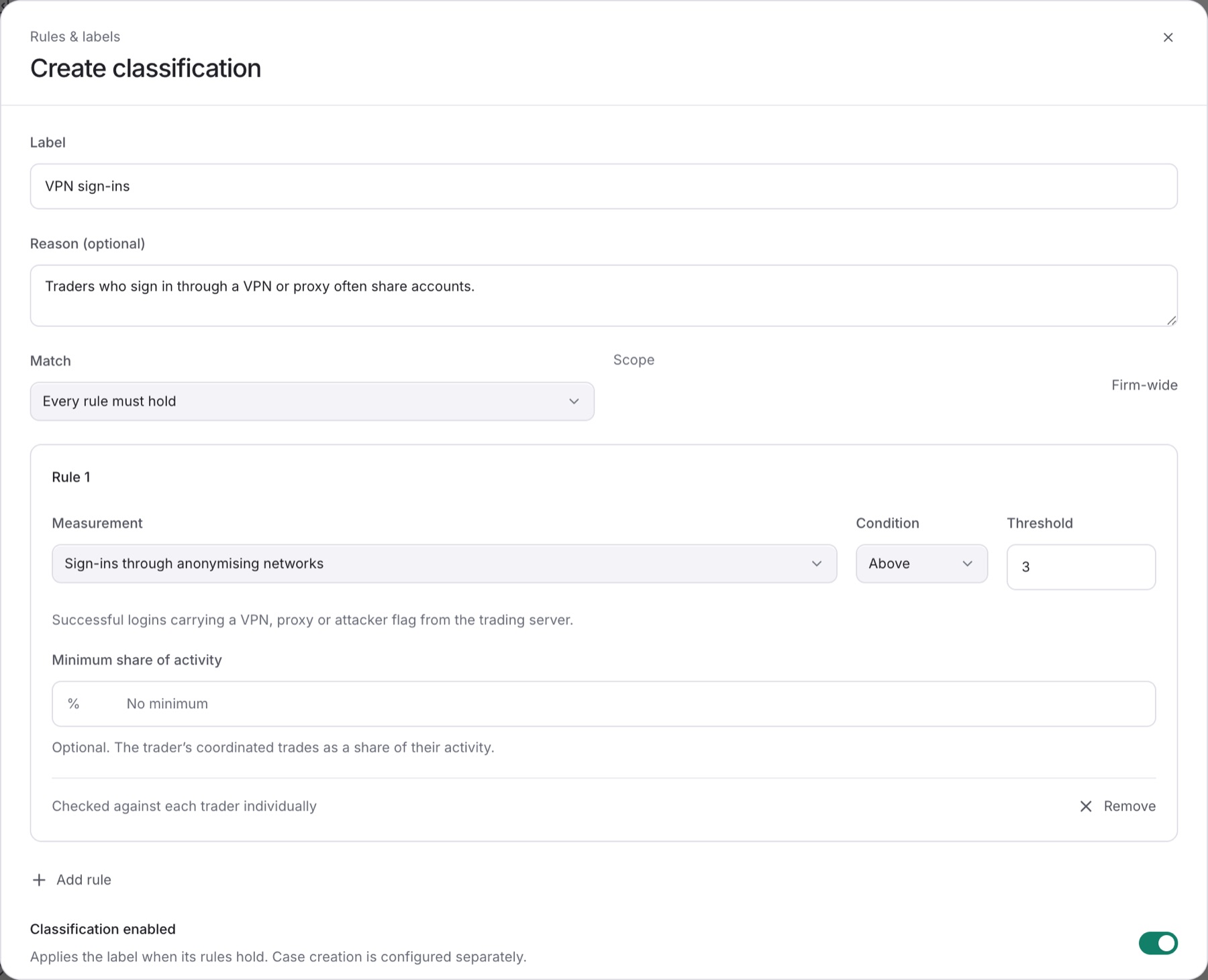
Create a classification to label traders when your rules hold. You need the Owner, Admin or Analyst role.
- Go to
Settings > Detection. - Click the Classifications tab.
- Click Create classification.
- In Label, type the name your team uses for this pattern.
- Optional: in Reason (optional), say why the label matters to your firm.
- Under Match, choose Every rule must hold or Any rule may hold.
- Set the first rule: choose a Measurement, a Condition (Above or Below) and a Threshold.
Tip: For detector measurements you can also set Minimum share of activity, so one matching trade does not apply the label on its own.
- Optional: click Add rule to add more rules.
- Click Save classification.
Result: You see Classification saved. and the new label appears on the Classifications tab with Case creation set to Off.
A new classification does not create Cases until you turn Case creation on. See Turn on Case creation for a classification.