
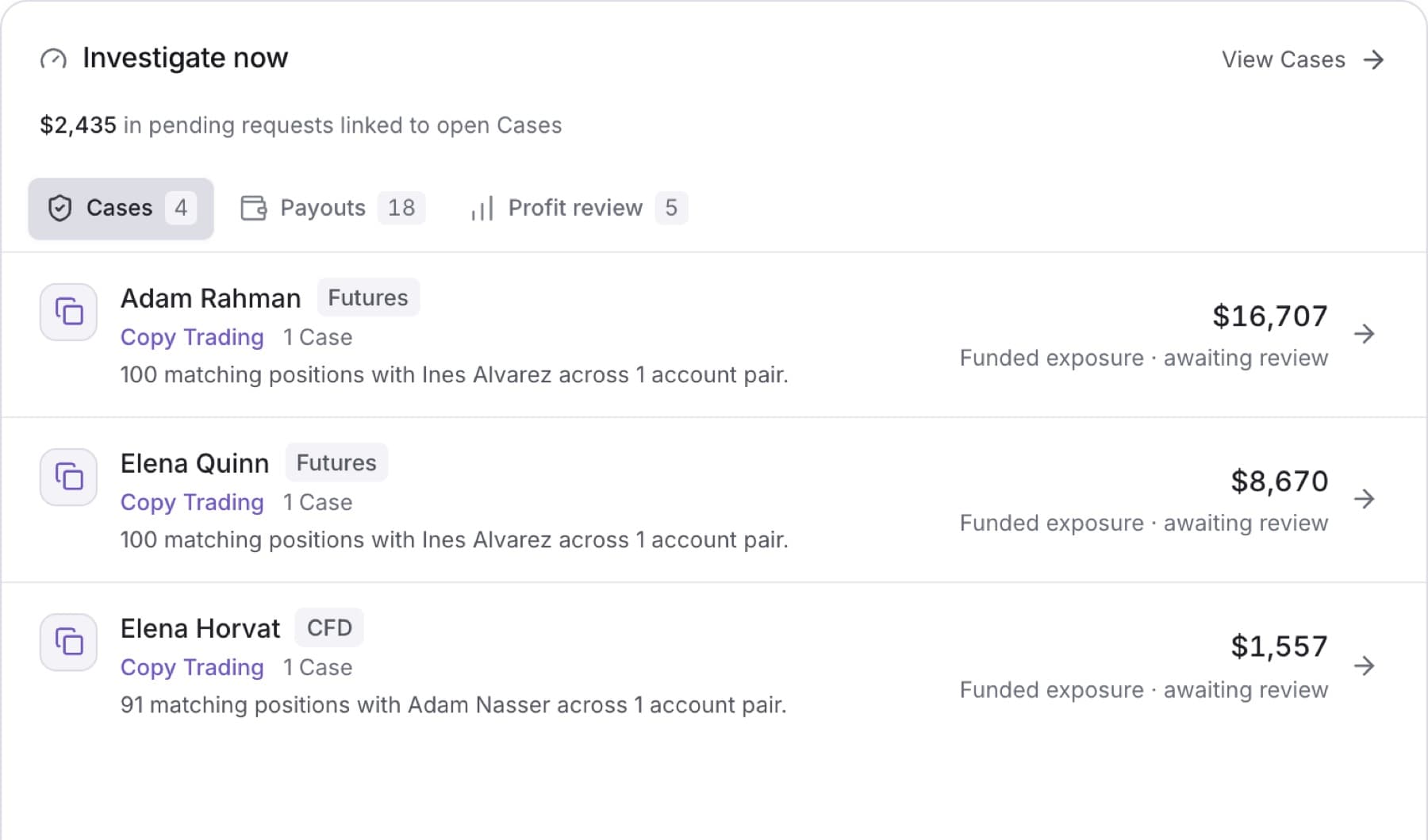
Find the traders and payouts that need a decision today. Any role can view the list.
- Open Overview.
- In Investigate now, select a tab:
- Cases: traders with an open Case, highest priority first.
- Payouts: pending payout requests waiting on a decision.
- Profit review: funded accounts in the highest profit band, measured as profit against initial balance (Profit / initial).
- Read the row. It shows the trader, the reason they are listed, and an amount, for example Requested payout or Profit / initial.
- Select the row. A row on Cases opens that Case. A row on Payouts or Profit review opens the trader's profile.
- To see the full list, select the link in the panel head: View Cases, View payouts or View accounts.
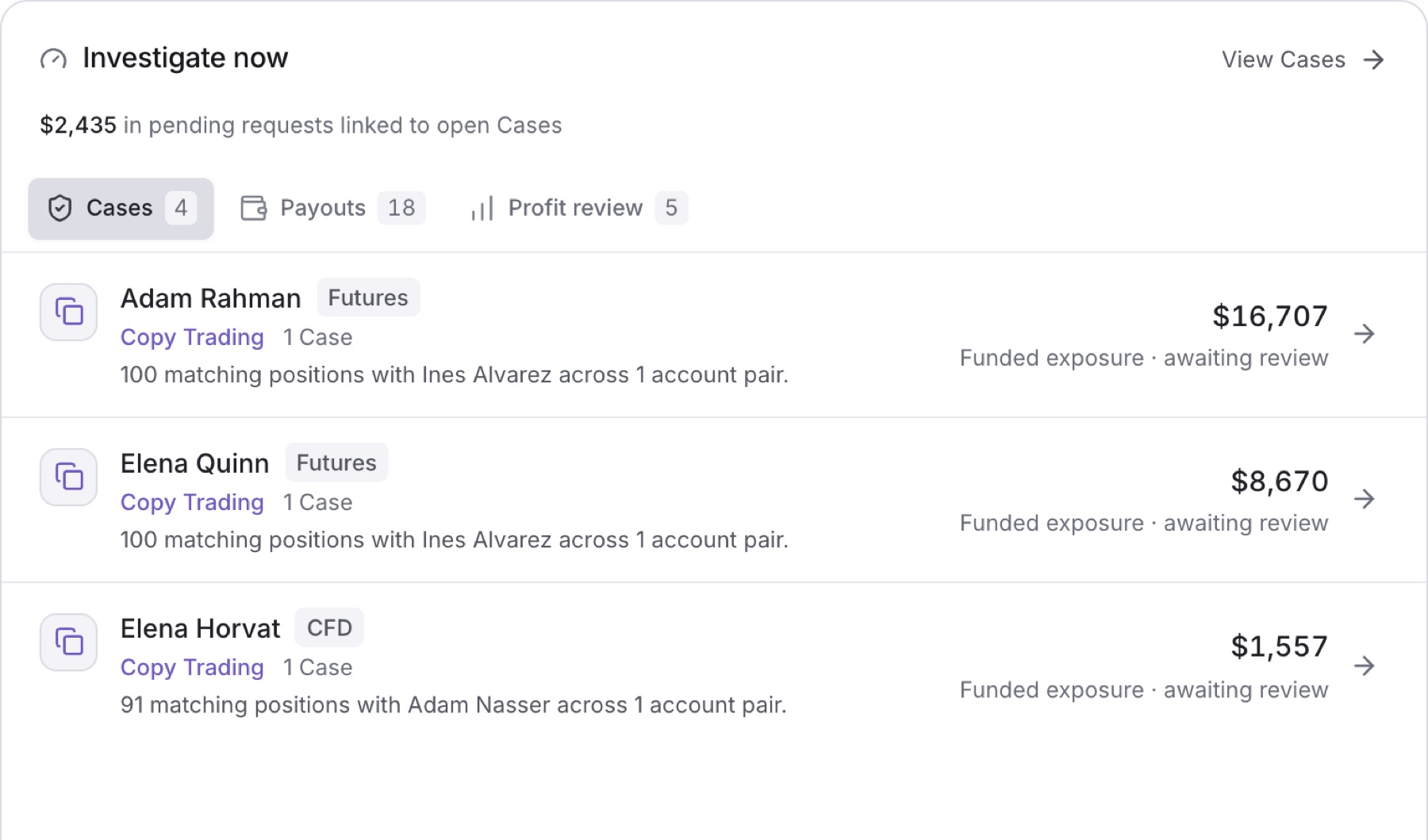
Result: You are on the Case, the trader's profile, or the full list, where you can work the Case or the payout.
Tip: Each tab shows up to three rows. The number on the tab is the full count, so a tab can say 10 while it shows three.
Tip: An empty tab explains why, for example No trader carries an open Case. or Nothing is waiting on a payout decision.