
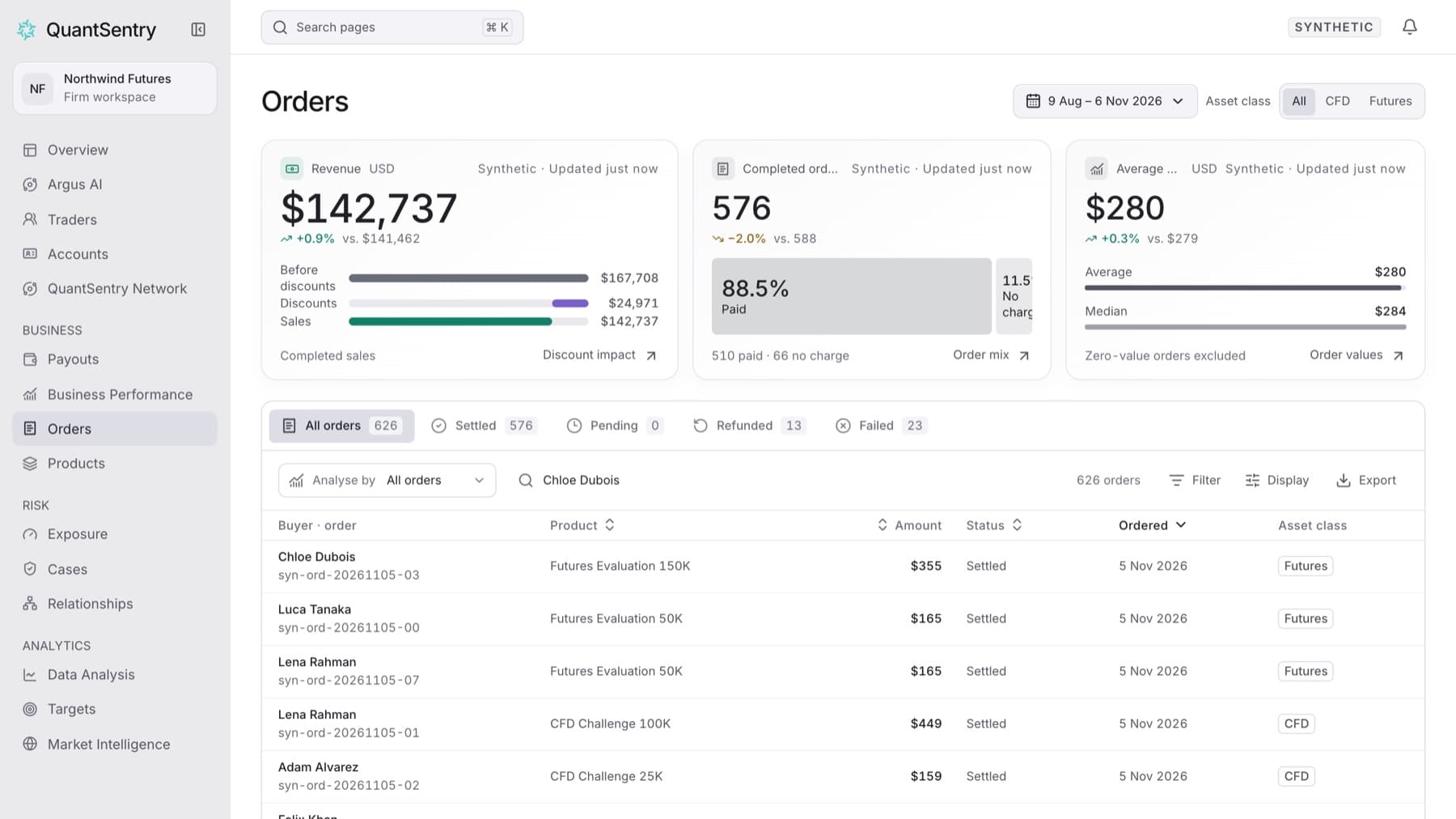
Find a buyer's orders and check whether they settled. Any workspace role can do this.
- Click Orders in the side menu.
- Type the buyer's name in Find a buyer. For example, type
Jordan Lee. - If you do not see the order, open the period control and choose a longer period, for example Year to date or All time.
Tip: The list opens on the last 90 days, so older orders are hidden until you widen the period.
- Click All orders so no status tab hides the order.
- Read the Status column to see whether the order settled, is pending, was refunded or failed.
- Click the row to open the buyer's trader profile.
Result: The list shows the buyer's orders with the order number under the name. Clicking a row opens the buyer's profile.
Tip: Search matches the buyer's name only. To see each buyer's email next to the order, click Display and turn on Email under Display properties.